

Get connected without a bank visit
A step-by-step setup for the Rahmat POS terminal. Activate the device yourself in 10 minutes and start accepting payments today. All you need is to power on the terminal, scan a QR code and complete registration via the Telegram bot.
Setup and registration
Power on the device, choose a language, connect to the internet and set the time zone to +5:00 (Tashkent).
-
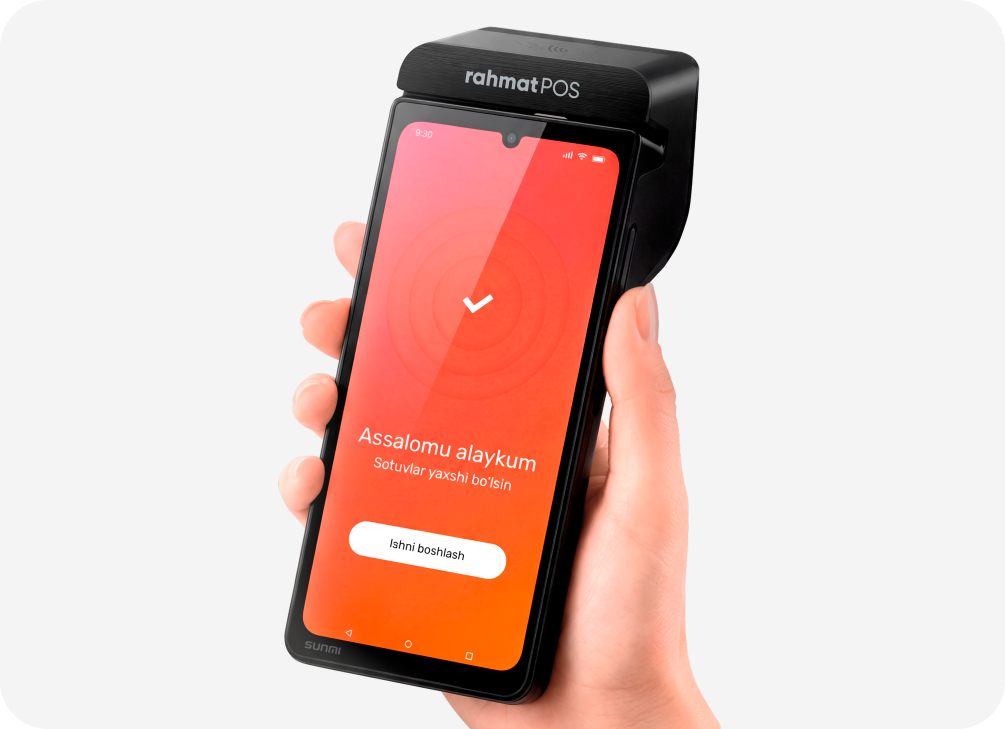
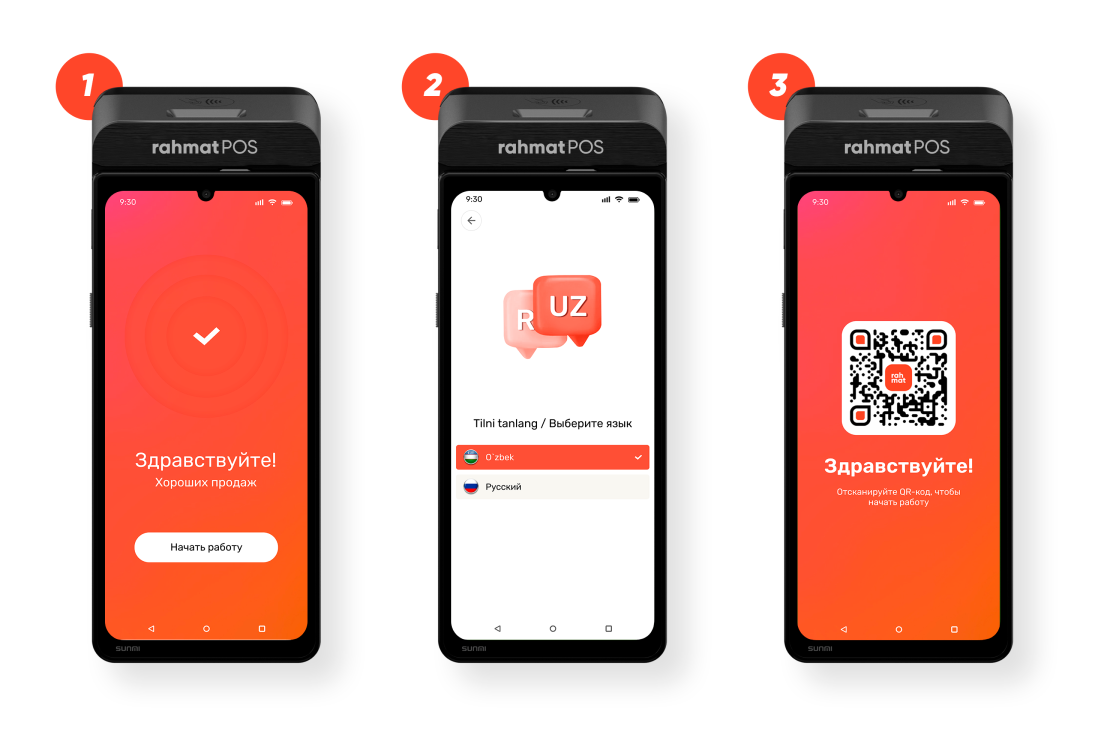
Power on the terminal
On the welcome screen “Hello! Happy sales” tap “Start”.
-
Choose the interface language
Select a language — Uzbek or Russian. The terminal downloads the app automatically; keep the internet connection on.
-
Scan the QR code on the terminal
A QR code “Scan the QR code to start” appears on the terminal screen. Point your phone camera at it — the registration Telegram bot opens.
-
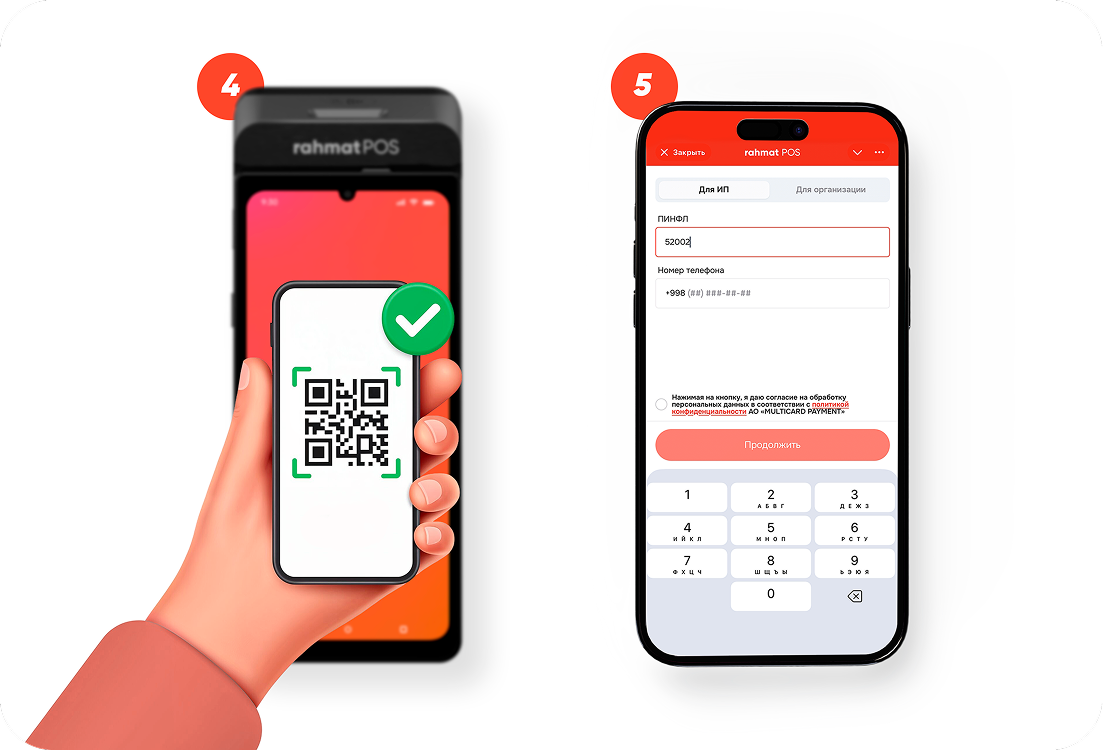
Confirm the scan
After scanning the QR code, a confirmation appears in the bot. Continue registration in Telegram.
-
Choose a type and enter your details
Select your business type — “For sole traders” or “For companies”. Enter your PINFL and phone number, then agree to the processing of personal data.
-
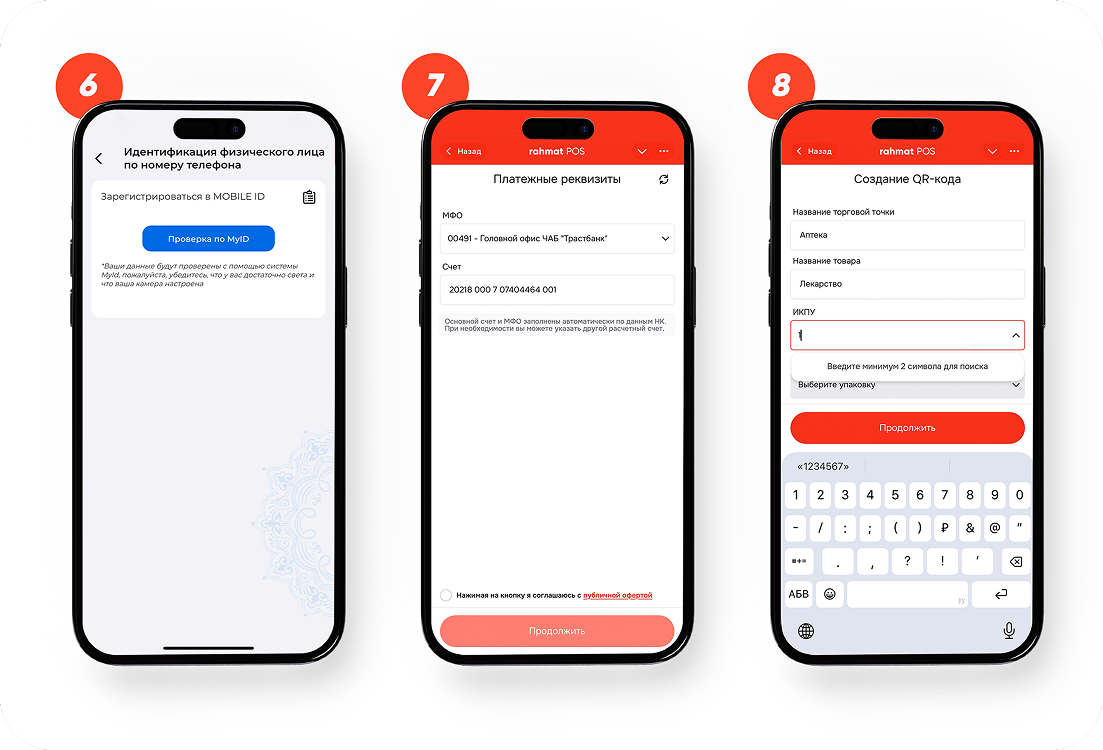
Verify your identity
Confirm your identity by phone number through the MyID / Mobile ID system. Make sure the camera is set up and there is enough light.
-
Check the payment details
The MFO and settlement account are filled in automatically from Tax Committee data. If needed, specify a different account, agree to the public offer and tap “Continue”.
-
Create a QR code for accepting payments
Enter the merchant point name, the goods or service category, the IKPU code and the package type, then tap “Continue”.
Completing registration
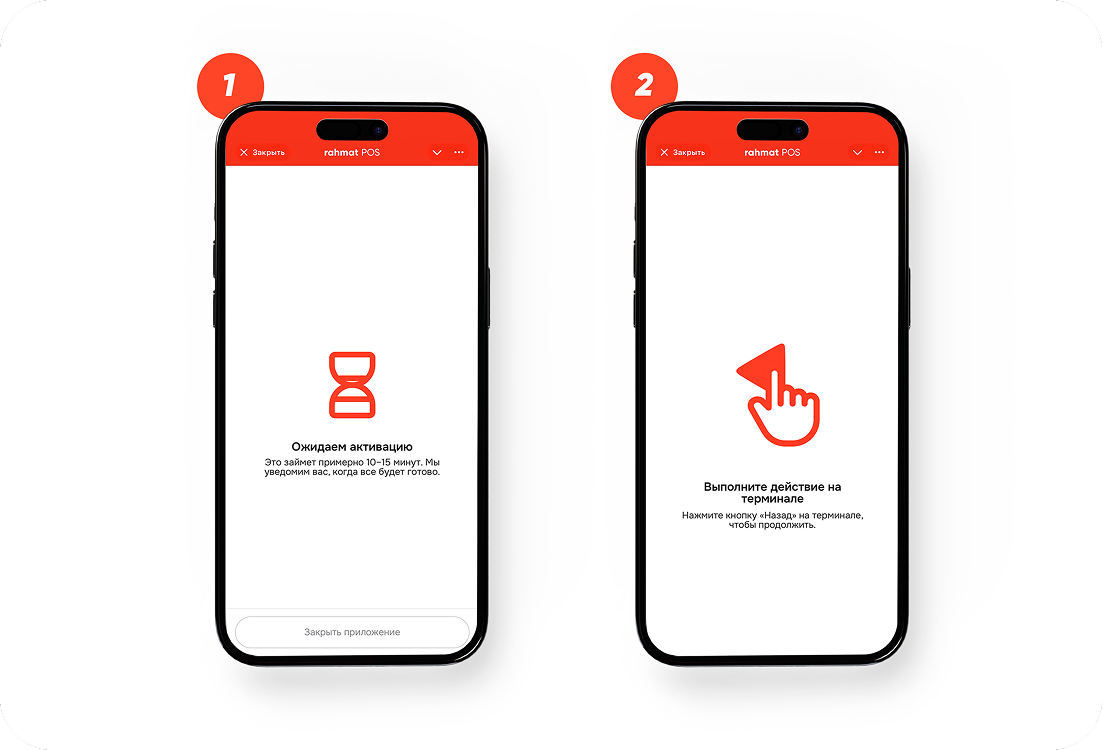
All that’s left is to wait for the data check and perform the final action on the terminal.
-
Wait for activation
Checking the documents and configuring the terminal takes about 10–15 minutes. A ready notification will arrive in the Telegram bot.
-
Perform the action on the terminal
Press the “Back” button in the bottom-left corner of the terminal to finish activation. After that the terminal is ready to accept payments.
If you run into trouble at any step, message Telegram support @rhmt_support_bot or call 1865. We’ll help you activate the terminal and answer your questions.